Fopull LLC · Free & Open Source · Game Engine

Floptle is a game engine for worlds you can carve. Early access · engine v0.93.1

I build Floptle to make stylized 3D worlds where the terrain is fully editable. It stores terrain as a volumetric signed-distance field instead of a heightmap, so you can dig caves, tunnels, and overhangs, and carve into whole planets while the game runs. Shadows and ambient occlusion come off the distance field itself. The download bundles the editor, Lua scripting, a node-graph shader editor, a particle timeline, physics, and spatial audio into one native binary for Windows, macOS, and Linux.

Multiplayer is one line, free for 100 players, and nobody port-forwards.

Pre-1.0 and moving fast · MIT OR Apache-2.0 · no account required

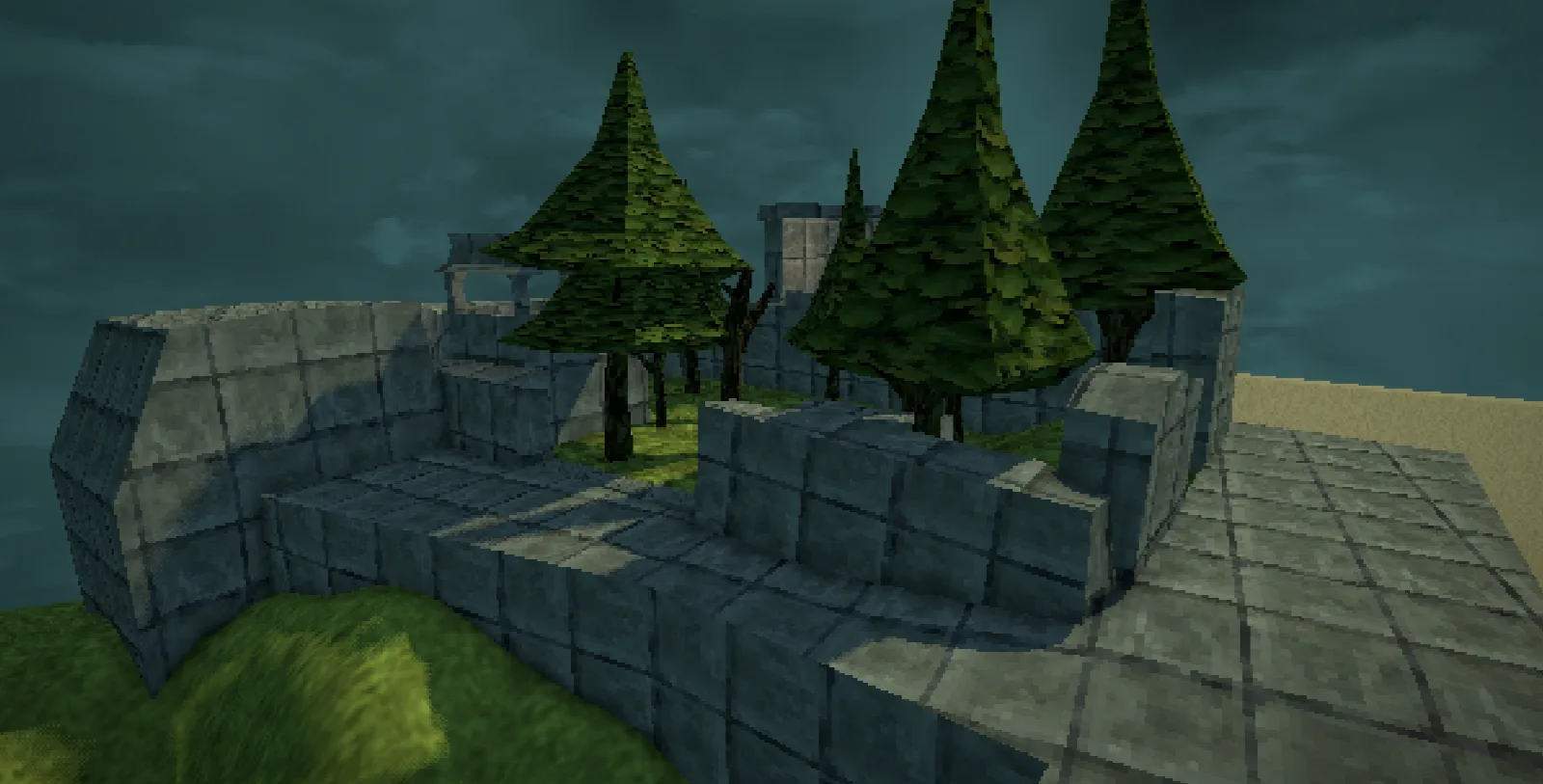
Floptle Editor · retro mode
A stone-block ruin surrounded by hand-painted pine trees, rendered in Floptle's retro low-resolution mode with modern soft lighting

Retro mode renders the whole frame at a low internal resolution, post-processing and all, then upscales it. You get a PS1/N64 look running on top of modern lighting. It is the default aesthetic I designed the engine around, so lead with it when you show the thing off.

Learn

New to game development? The tutorials check your work.

The editor has a Learn tab with follow-along projects, a 3D platformer, a top-down RPG, Flappy, and each step ticks itself off as your project comes to match it. You are never left wondering whether you did a step right, and the docs one tab over always match the version you are running. It is the way I would want to learn an engine from zero.

Start learning Read the tutorials online
Command line

Your CI and your AI assistant can drive it.

Ask whether a project loads, play it headless and get every error with its file and line, render a frame to a PNG, read a scene tree, or change a project through the editor's own scripting API, all without opening the editor. Every command reports whether it needs a display and whether it writes to your project, and floptle help --json describes the whole surface, so an assistant reads the interface once instead of guessing at it.

See the command line Why we built it
Carvable terrain

Carve terrain, down to whole planets.

Most engines hand you a heightmap. Floptle stores terrain as a real 3D signed-distance field, so caves, overhangs, tunnels, and floating islands all work, and you can edit any of it while the game is running.

Diggable at runtime

Players can dig, sculpt, and reshape the world at runtime, not just me in the editor. The edits get written into the save file, so a tunnel you carve is still there after a reload.

Whole planets are terrain

The demo builds spherical worlds you can walk on, tunnel through, and hollow out. You can drop several terrain volumes into one scene and they blend together on the GPU with a smooth-min.

Streamed to disk

Save checkpoints stream terrain edits to disk in the background so the framerate holds. A floating-origin world keeps planet-scale scenes from getting jittery.

Multiplayer built in

Online multiplayer is one component and one line of Lua.

Add the 🌐 Networked component to a node, call net.host{ maxPlayers = 4 }, and you have a real client talking to a real server. No plugin, no service to sign up for, no separate networking library to learn. You pick a replication mode per node and a project that does not use a mode never pays for it.

Three modes, per node

Server authority is the default: cheat-proof and it needs nothing from your scripts. Predicted keeps the player's own avatar snappy. Rollback re-simulates every peer every tick for fighting games, GGPO style, with mandatory desync checksums. Mixing them in one scene is normal.

Rehearse a bad connection at your desk

Press Play, then host and join a local client inside one process, with sliders for latency and packet loss. Turn it up to 200 ms and 10% loss before you ship, and find the bug that only appears on a bad hotel wifi without leaving your chair.

Lobby codes, and replays for free

A host gets a five-letter lobby code and a joiner types it in, through a tiny open-source relay you can run on any box with cargo run -p floptle-relay, or connect direct over LAN. Inputs and the seed are the match, so a full replay is kilobytes and plays back by re-simulating.

Fofighter, mid-match in the editor
A Floptle editor Play session running a fighting game round: two low-poly fighters in a cathedral stage with health bars and a round timer, and a console below printing per-second netcode telemetry lines
A best-of-two round in the Cathedral stage, running under Play. The health lines in the console are the netcode telemetry printing while it runs: ping, input delay, rollback depth, guessed frames, and stalls.

The rollback mode is being hardened against a real fighting game built on the engine, and the whole model is written up in the docs, from the five-minute server-authoritative version to the strict rollback contract. Read "Making a multiplayer game".

Built with the engine

A Kerbal-style solar sandbox, built in Floptle with Lua.

Everything below is one game project I scripted in Lua against the engine's public APIs. None of it is baked into the engine. Generate a system, fly out to it, land, and dig.

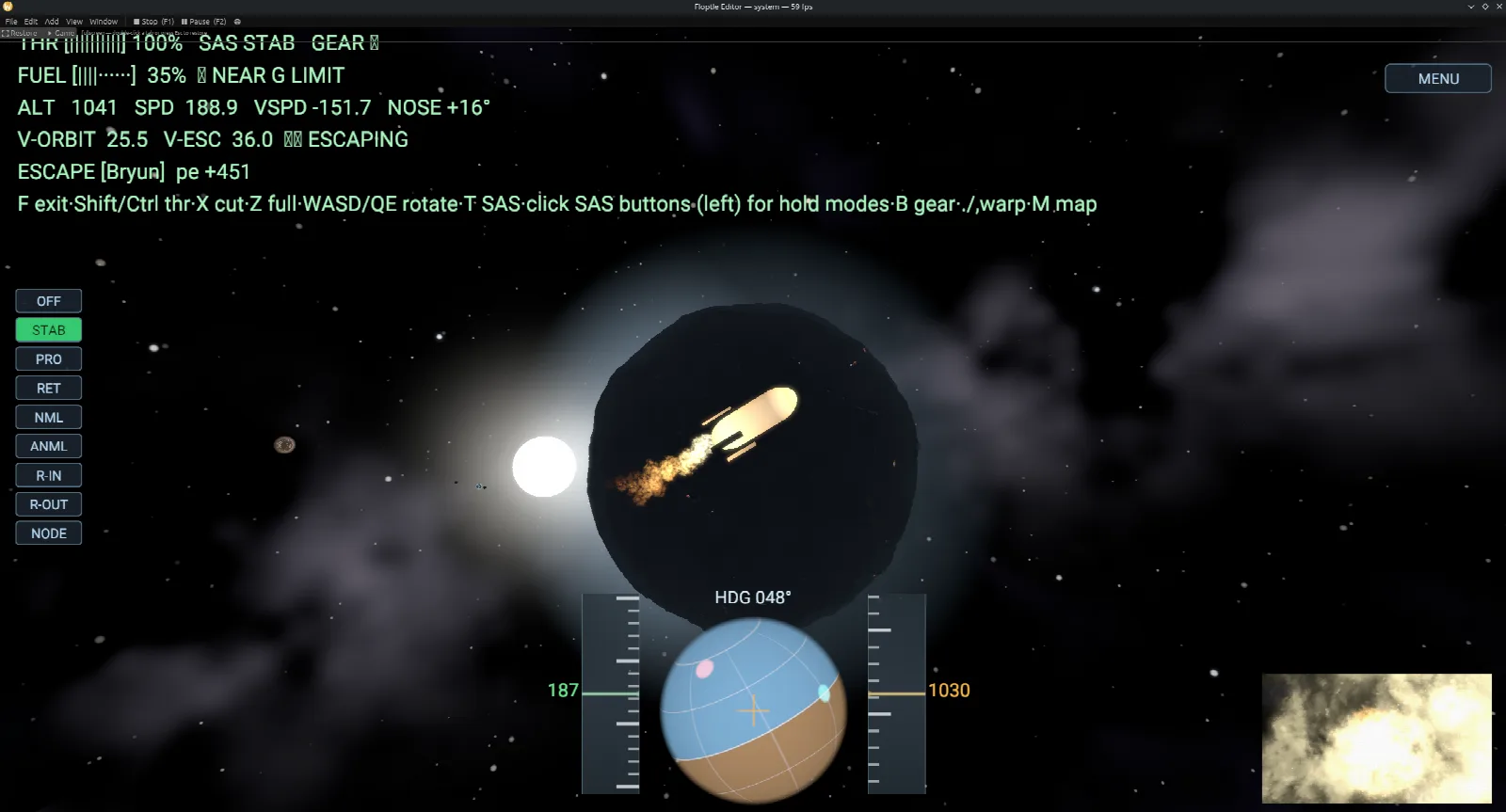
A ship on an escape trajectory away from a dark planet, with a flight HUD showing orbit velocity, escape velocity and a navball
01 · Fly to orbit

Real orbital mechanics.

Patched-conic trajectories, sphere-of-influence transfers, clickable maneuver nodes on the map, SAS hold modes, and time warp. It all reads off the ship HUD as you climb out of the gravity well.

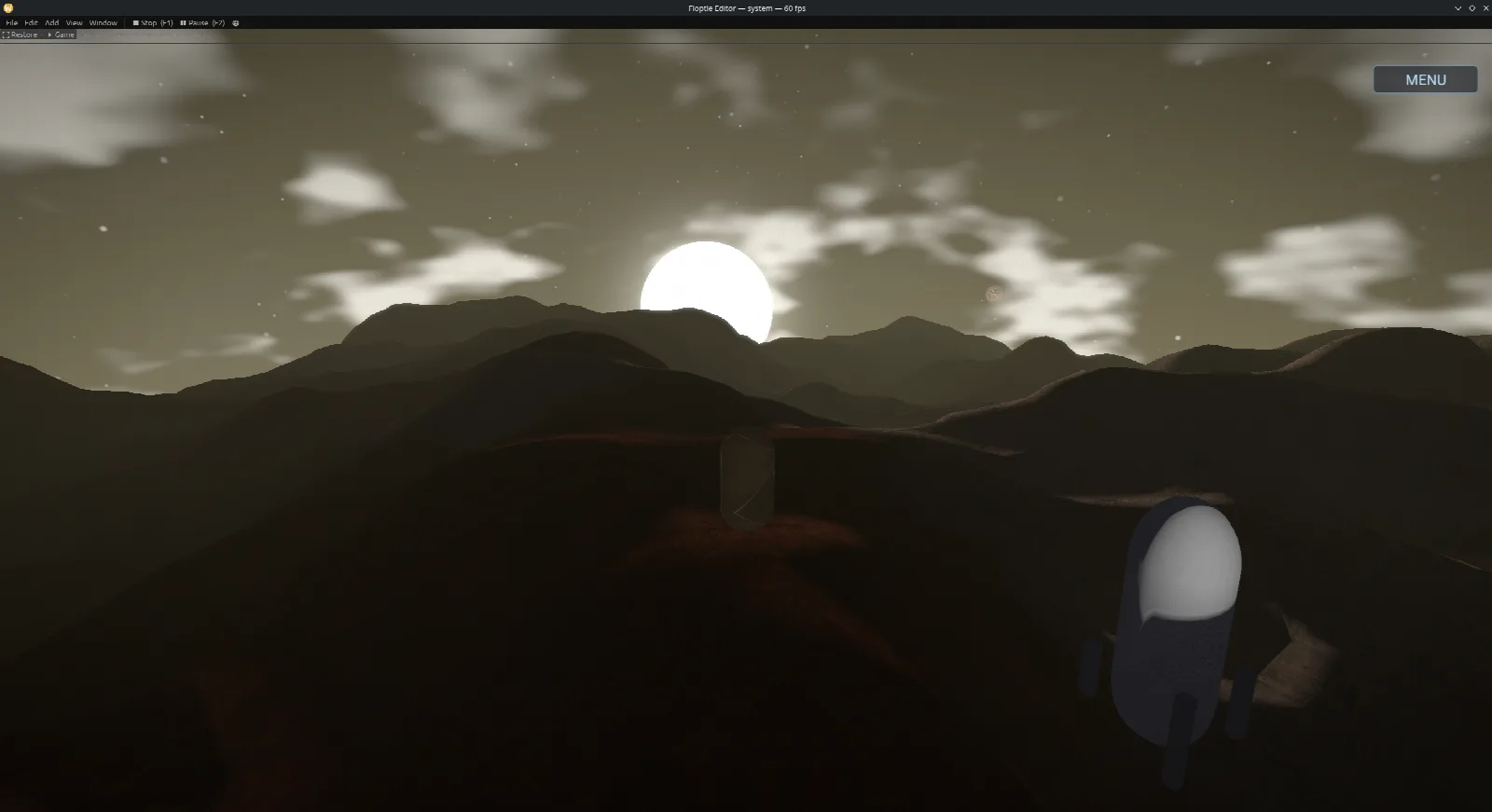
An astronaut standing on a hilly planet surface at sunset, with volumetric clouds and a low sun
02 · Land and step out

Walk around under local gravity.

Transfer to a moon, land, get out, and walk. Gravity volumes hold you to the surface of a small body instead of a flat plane. The loading screen builds your starting planet first and drops you somewhere safe on it.

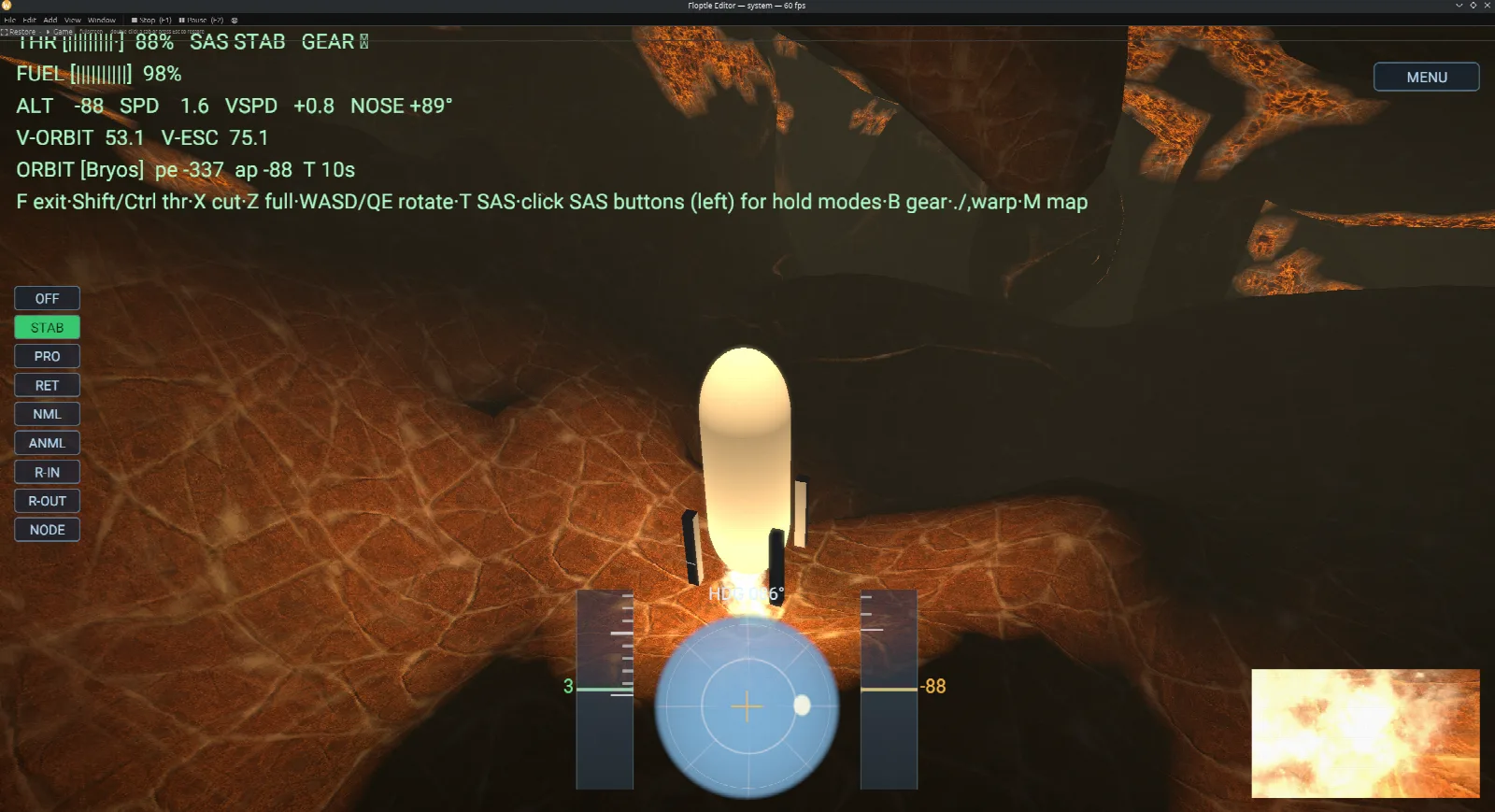
A ship inside a glowing molten cavern carved into a planet, with a flight HUD and SAS panel
03 · Dig in

Tunnel into the planet and it stays dug.

Carve into the world with the ship tools and drop below the surface. The shadows and ambient occlusion down there come straight off the distance field. Quicksave, come back later, and the tunnels are still where you left them.

Try it yourself

Download the Solar demo and add it to your Hub.

Grab the full solar-system project, the same one in the shots above, and open it in the Floptle Hub. It is a real Floptle project scripted in Lua, so you can crack it open, read the source and remix it. The project has its own repository, Fopull-LLC/Solar, where the Lua is readable and issues go.

  1. 1
    Download & unzip. Grab the demo above and unzip it anywhere. It is a normal Floptle project folder named Solar.
  2. 2
    Add it in the Hub. Open the Floptle Hub, choose Add existing project, and point it at the unzipped folder.
  3. 3
    Open and play. The project pins the engine version it was built on; the Hub fetches that one (or anything newer on stable) and launches it. Hit play and fly.

New here? You'll want the Floptle Hub first — it installs the engine and runs projects like this one. The demo is the project; the Hub is what opens it.

One binary

Everything to build a world, in one download.

Terrain

Carvable SDF worlds

Volumetric signed-distance terrain with runtime editing, GPU smooth-min blending between volumes, and planet-scale scenes.

Rendering

Retro-mode renderer

Hybrid raymarch and raster, so SDF terrain and meshes share a scene. SDF-derived soft shadows and AO, plus bloom and vignette, rendered low-res and upscaled for the PS1/N64 look.

Shaders

Node-graph .flsl editor

A text shader format with a visual node editor. Live per-node previews, drag a value to change it, no recompile. Nodes can define raymarched SDF geometry that still takes shadows and AO.

Scripting

Lua, plus VSCode

Lifecycle hooks, collision and trigger events, prefab spawn and destroy, raycasts, layers and tags, and Inspector-editable script parameters that read back both ways. In-engine API docs, plus bundled EmmyLua annotations for autocomplete in VSCode.

Physics

Rigidbodies and gravity volumes

Dynamic, kinematic, and static bodies, trigger sensors, SDF and mesh colliders, a collision-layer matrix, and raycasting. Gravity volumes let you walk around a small planet, and kinematic platforms carry the player.

Particles

DAW-style timeline

Tracks, clips, bursts, automation lanes, curve editing, random ranges, and mesh particles, with a deterministic scrub preview. It works like an audio or video timeline.

Audio

Spatial sound and a mixer

Spatial 3D voices and a project mixer with 11 effect types and an EQ curve editor, driven from a Lua audio API. Skeletal animation clips import from glTF and play from Lua.

Distribution

The Floptle Hub

The launcher and version manager. It installs engine versions, creates projects pinned to a version, does one-click upgrades, shows a banner on new releases, and can sign in with your fopull.com account if you want.

That is the shape of the engine, not a changelog. For what landed most recently, read the release notes — they are the engine's own.

Inside the editor

A full editor, gizmos and all.

A component Inspector modeled on Unity, prefabs you drag in and out of the asset browser, multi-select hierarchy, undo, and play-in-editor with the inspector staying live. There are dedicated tools for shaders and effects too.

Floptle's timeline-based particle editor with tracks, clips, and size and colour automation lanes below a bright particle burst

Particle timeline. Tracks and clips with size and color over-life automation lanes and curve editing. This burst is authored on a timeline you can scrub.

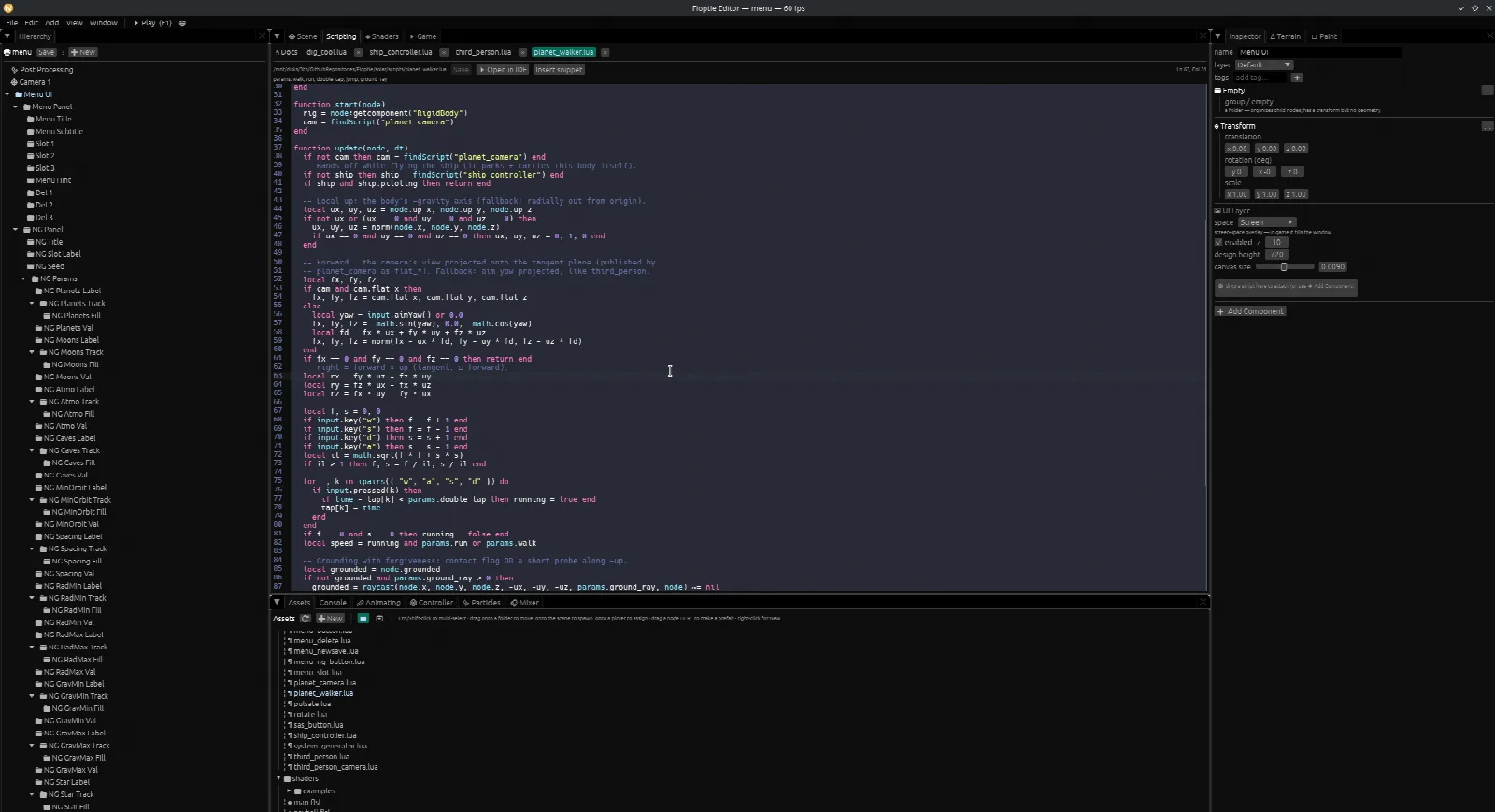
Floptle's in-editor Lua script editor showing a planet_walker script with update logic, alongside the project's script assets

Lua scripting. Write gameplay in Lua right in the editor, or open it in VSCode with the bundled autocomplete. This is the controller that walks the astronaut around a planet.

Making backrooms level in the editor

Making backrooms level in the editor

Story mode cutscenes made in engine with dialogue system

Story mode cutscenes made in engine with dialogue system

Floptle's node-graph shader editor with .flsl source, connected nodes, and a live molten-sphere preview

Dissolve Shader Shader graph

In-Engine scripting API docs

Forgery S S3 In Engine In-Engine scripting API docs

Horror game main menu

Forgery S S1 In Engine Horror game main menu

Open source

Free, open, and staying that way.

Floptle is dual-licensed MIT OR Apache-2.0, and the README has a permissive-forever pledge. No royalties, no fees, and you do not need an account to use the engine. Read it, fork it, file an issue, or send a pull request. Watch the Releases page if you want to know when a new version lands.

View on GitHub All releases © 2026 Fopull LLC

What is being worked on right now comes straight from the engine.

Get started

Download the Floptle Hub.

The Hub installs the engine and keeps it updated. Grab it for your platform, then install an engine version and create a project. Everything runs locally on your machine.

Heads up, the binaries are not signed yet. On macOS, right-click the app and pick Open the first time. On Windows, if SmartScreen shows up, pick More info then Run anyway. Signing is on my list. For a young open-source project this is normal.

Every version and its full checksums Source on GitHub
FAQ

Common questions.

What is Floptle?

Floptle is a free, open-source game engine I build for making stylized 3D worlds. It stores terrain as a volumetric signed-distance field, so you can dig into and reshape whole planets while the game runs. The download includes the editor, Lua scripting, a node-graph shader editor, a particle timeline, spatial audio, and physics, all as one native binary for Windows, macOS, and Linux. The Floptle Hub installs it and keeps it updated.

What makes it different from other engines?

The terrain is a real 3D signed-distance field rather than a heightmap, which gets you caves, overhangs, tunnels, and floating islands, and lets you edit all of it at runtime. Players can dig and sculpt the world live, and those edits persist in the save file. Whole planets are terrain, so the demo builds spherical worlds you can walk on, tunnel through, and hollow out. Put that together with the retro-mode renderer and that combination is the main reason to pick it.

Which platforms does it run on?

Desktop. Windows on x86_64, macOS on both Apple Silicon and Intel, and Linux on x86_64, each as a small native binary. There is no console or mobile support.

Is it really free? What is the license?

Yes. Floptle is free and open source, dual-licensed MIT OR Apache-2.0, and the README has a permissive-forever pledge. No royalties, no fees, and you do not need an account to use the engine.

Is it production-ready?

It is pre-1.0, currently v0.93.1, and I am moving fast on it. It is young and it changes often, so treat it that way. If you like being early and reading the source, it is a good fit.

Is Floptle good for beginners?

Yes, and learning is a specific design goal. The editor has a Learn tab with follow-along tutorial projects, a 3D platformer, a top-down RPG, Flappy, and a squad pathfinding project, where each step verifies itself against your actual project and ticks off when it is really done. The complete documentation ships inside the editor too, so what you read always matches the version you are running. Scripts are written in Lua, one of the friendliest first languages.

How do I learn Floptle?

Download the Floptle Hub, create a project, and open the Learn tab in the editor. Start with the first-steps tutorial, which has something moving on screen in about fifteen minutes, then build Flappy for a first finished game. The same tutorials are readable on this site under Learn, published from the engine release itself.

What is the Floptle Hub?

The Hub is the launcher and version manager. It installs engine versions, creates and manages projects (each one pinned to an engine version), handles one-click upgrades, and shows a banner when a new release ships. You can also sign in with a fopull.com account, which is optional.

Does Floptle do multiplayer?

Yes, it is built into the engine rather than bolted on. You add one Networked component to a node and pick a replication mode: server authority (the cheat-proof default), predicted (for the player's own avatar), or rollback (every peer re-simulates every tick, GGPO style, for fighting games). Players connect with a five-letter lobby code through a small open-source relay you can self-host, or directly over LAN. The editor can host and join a local client in one process with latency and packet-loss sliders, so you can rehearse a 200 ms connection at your desk. The rollback mode is being hardened against a real fighting game built on the engine.

Are the installers signed?

Not yet, the binaries are currently unsigned. On macOS, right-click the app and choose Open the first time. On Windows, if SmartScreen appears, choose More info then Run anyway. Code signing is on my list.

What is the solar-system demo?

It is a game project I built in Floptle, scripted in Lua against the engine's public APIs, so none of it is hardcoded into the engine. It generates procedural solar systems from a seed and runs real orbital mechanics: patched-conic trajectories, sphere-of-influence transfers, clickable maneuver nodes, SAS, and time warp. You can fly from a planet's surface up to orbit, transfer to a moon, land, walk around under that body's gravity, and dig into the planet, and the edits are still there after a quicksave. It is there to show what one project on the engine looks like, since the engine itself is general purpose.
More from Fopull LLC

Floptle sits alongside the rest of what I ship.

I also build Storage Sifter, an open-source Linux disk-usage tool, Foduel, a real-time online trading card game, and Foverse, my blogging and community platform that hosts the free Connect Fo. If a Rust game engine is what brought you here, the rest is worth a look.

Floptle on GitHub Get Storage Sifter
Straight from the engine

What just shipped, and what is being worked on.

The current release and what is coming, written when the release went out and read straight off the engine. Everything older is on the release history.

v0.93.1 Clear Skies Engine 2026-09-15

The sky-flicker bug: a straight-edged wedge of the sky flashing a flat colour for one frame while you looked around. The renderer built each pixel's ray out to a far plane hundreds of thousands of units away, at the very edge of 32-bit precision, and for some camera poses the rounding tipped over along a line across the screen and left the sky shader without a direction. The ray now stops halfway down the depth range — the same line, without the cliff. Also: floptle shot draws the Sky shader it always skipped, and gains --frames/--turn for camera sweeps.

Read the full release notes

A patch for a bug that has been in the sky for a long time: while you look around, a wedge of the sky would flash a flat colour for a single frame — a straight-edged slice, usually at a corner or side of the screen, cut off exactly at the horizon. It happened far more often while the camera was moving than while it was still, and it was over before a screenshot could catch it.

What it was

The renderer built each pixel's ray as the line from the near plane to the far plane. With a far plane hundreds of thousands of units out, the far point sits at the very edge of 32-bit floating-point precision — and for some camera poses, the rounding tipped over along a straight line across the screen. Beyond that line the direction came out as not-a-number, and a sky shader given no direction painted its bare horizon colour. Every camera pose had its own line, or none; looking around visited many poses a second.

The ray now runs from the near plane to a point halfway down the depth range. It is the same line, without the precision cliff at the end of it. On a test rig that swung the camera around a project continuously, the flash appeared 156 times in eleven thousand frames before and not once in ten thousand after.

Also in this patch

floptle shot never compiled a project's Sky shader, so every picture of a scene with a procedural sky showed the flat Skybox colour instead. It draws the sky now. The shot verb also takes --frames N and --turn DEGREES to photograph a sequence while the camera sweeps, and FLOPTLE_FRAME_DUMP=<dir> writes every frame the editor or a build presents to that directory — the tools that caught this bug. See docs/export-builds.md.

Upgrading

Nothing to change.

Every release and its notes

Being worked on

Flying a ship you built. Compound vessels assemble, dock and come apart already. What's missing is a flight controller that handles a machine whose shape you invented — centre-of-mass and centre-of-thrust readouts while you build, and atmosphere that pushes back on the way up and the way down.

The arcade fighter. Fofighter is a real game being built on the engine, and it's where the netcode gets its hardest test. Nearly every rollback fix in the v0.10.x releases came from it — which is the point of building a game in your own engine.

Working towards

  • Terrain that's really geometry. Today's terrain is a distance field, which is why it has a size cap and why it goes faceted up close. Meshing it removes both.
  • Painting straight onto shader graphs, so a procedural material and a hand- painted one stop being separate workflows.
  • Particles on the GPU, for effects that cost what they look like they should.
  • Collision against shader-defined shapes, so a surface you wrote in a shader is a surface you can stand on.