Storage Sifter — see exactly what's eating your Linux disk.
A fast, GPU-accelerated disk-usage treemap for Linux. It maps your whole filesystem as nested rectangles sized to what they actually consume, so the space hogs jump out instantly. Then right-click anything for a plain-English “safe to delete?” verdict — with the exact cleanup command for your distro. Built in Rust, MIT licensed, no telemetry.
One screen that turns a million files into something you can read.
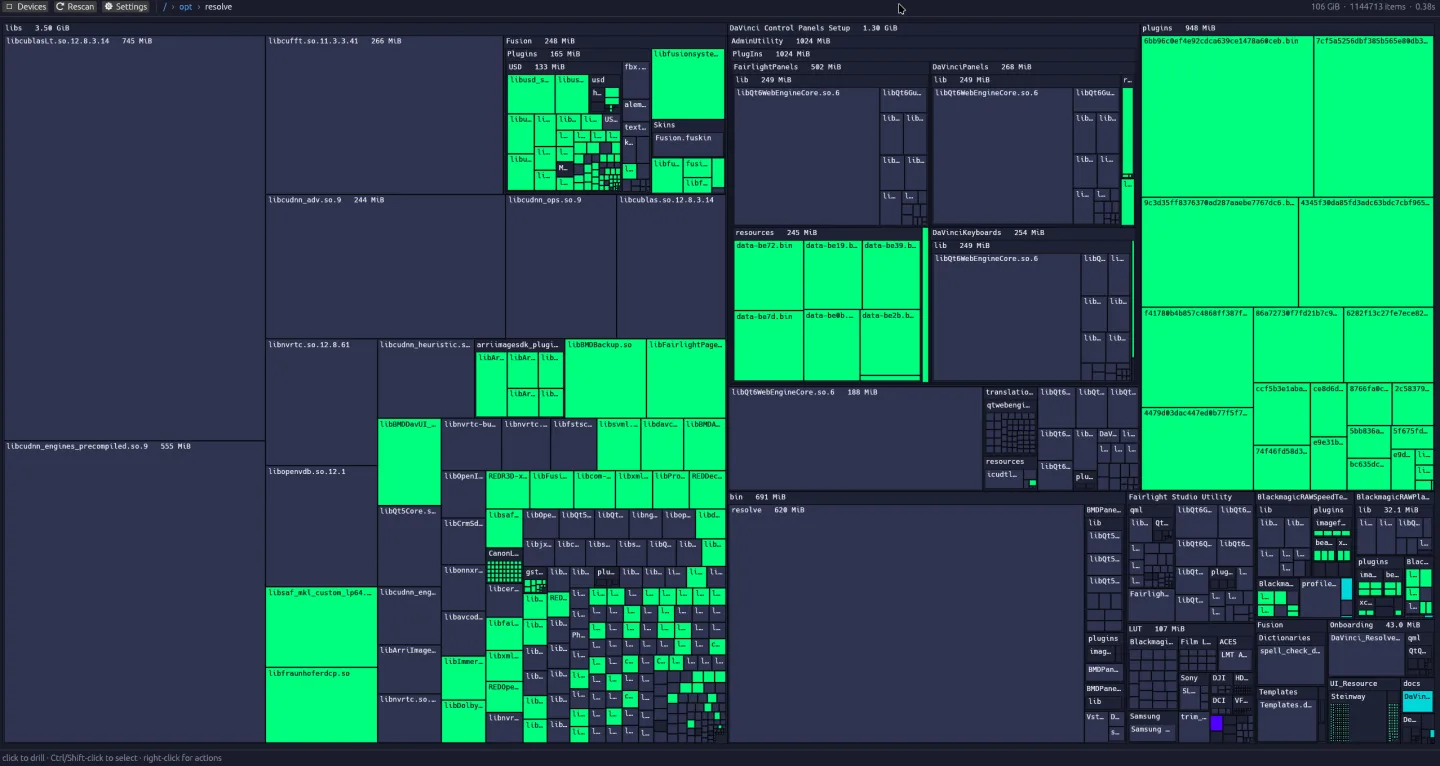
Storage Sifter draws a squarified treemap — every file and folder becomes a rectangle whose area is proportional to the space it uses. Big things look big. A 745 MiB shared library, a 555 MiB cache, a folder full of game assets — they own the screen, while thousands of tiny files politely collapse into the texture. Click any cell to drill in, Ctrl/Shift-click to select, right-click for actions. The breadcrumb bar is always your current path; the live scan stat shows item count and elapsed time.
Color tells you what it is, before you click.
Storage Sifter classifies what it finds and color-codes the cells, so the map is meaningful — not just a size chart. You learn to read your disk the way you read a map.
Amber — caches & build artifacts
The stuff that regenerates itself: package caches, build output, thumbnails. Usually safe to clear.
Green — media
Photos, video, audio — the one-of-a-kind files you almost never want to delete.
Cyan — applications
Installed programs and their libraries. Big, but you usually want them where they are.
Blue — code
Source code and project files. Your work — easy to spot, easy to protect.
“Safe to delete?” — an honest answer, not a guess.
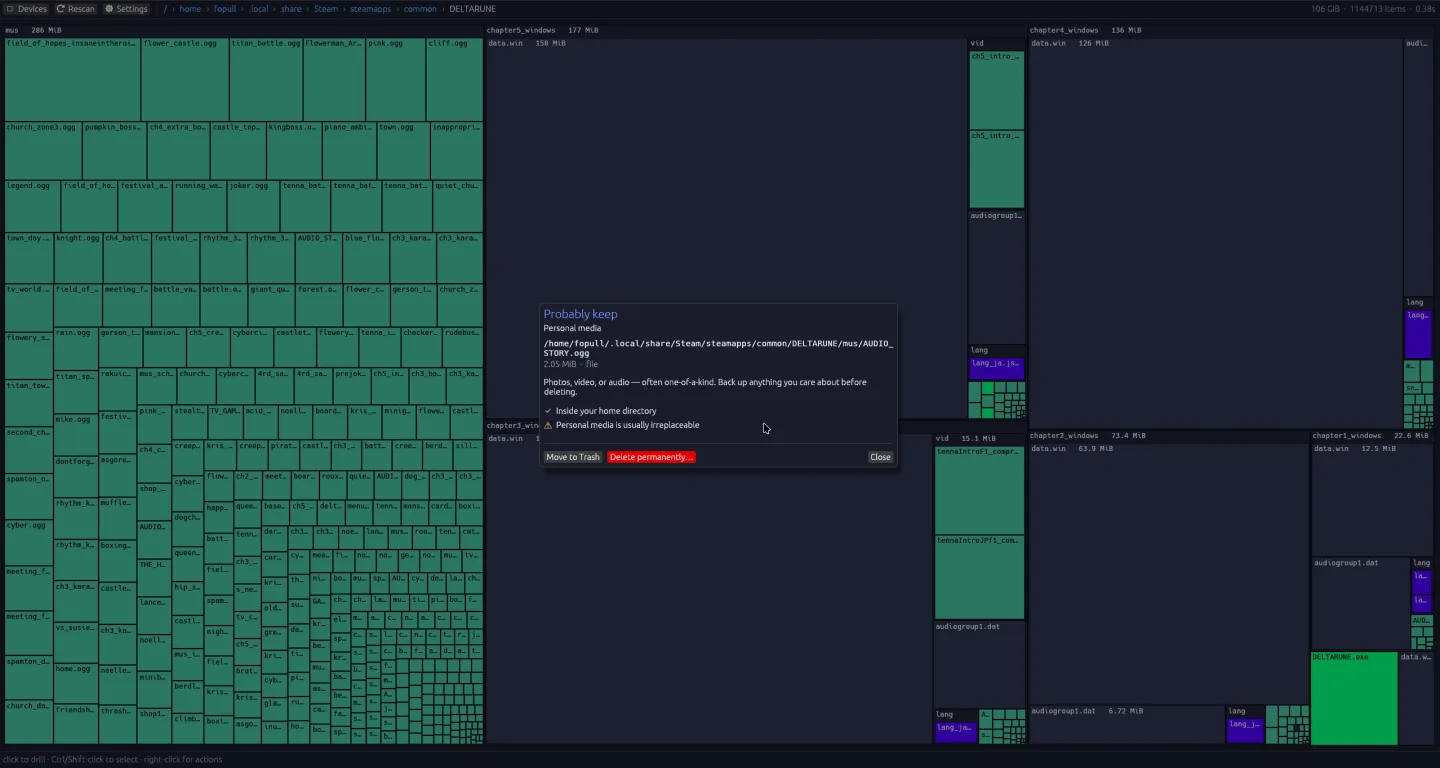
Finding the big folder is half the job. Knowing whether you can delete it is the half that actually scares people. Right-click any file or folder and Storage Sifter gives you a verdict in plain language, with the reasoning behind it:
- A clear verdict — e.g. Probably keep
- A classification (e.g. Personal media)
- The full path and the size on disk
- The signals it used to decide (“Inside your home directory”, “Personal media is usually irreplaceable”)
- When something is reclaimable — a package cache, a build dir — it tells you so
You stay in control the whole time: Move to Trash for the reversible choice, Delete permanently for the deliberate one, or just close the dialog and walk away. The tool advises; you decide. It will never quietly delete anything.
Drill in until the culprit has nowhere to hide.
Click into any rectangle and the whole treemap re-tiles around that subtree — here, eight levels deep into a Proton install under Steam's library — so you can chase a space hog all the way down. The breadcrumb bar tracks where you are and jumps you back up instantly.
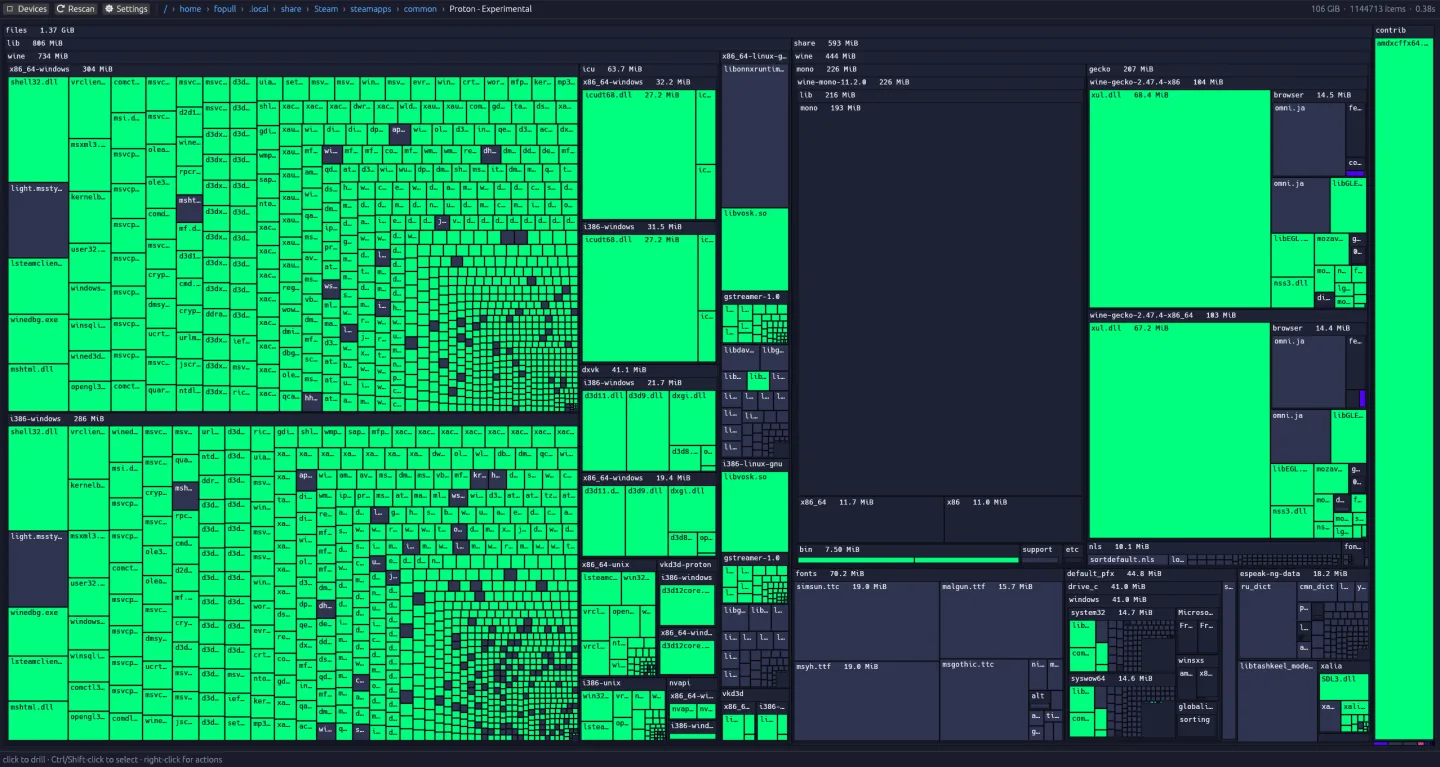
/ › home › fopull › .local › share › Steam › steamapps › common › Proton - Experimental
How it works.
Squarified treemap
It sizes every node and lays the result out so rectangles stay close to square — readable even when one folder dwarfs the rest. Area = disk usage, always.
Rust · egui/eframe · wgpu/Vulkan
Rendering runs on your GPU through wgpu (Vulkan), with the UI on Rust's egui/eframe — which is why panning, drilling, and rescanning stay smooth on filesystems with millions of items.
Local-only & honest
Classification and the safe-to-delete heuristics run on your machine. No account, no cloud, no telemetry. When it suggests a cleanup it hands you the right command for apt, pacman, or dnf — to run yourself.
Is there a WinDirStat or SpaceSniffer for Linux?
Storage Sifter stands on the shoulders of tools a lot of people already love. Each is great at what it does — these are different goals, not a takedown. If you live in the terminal, ncdu is still wonderful; baobab is a clean, built-in option. Storage Sifter's bet is one specific combination.
| Tool | Platform | View | Color-coded by type | Tells you what's safe to delete |
|---|---|---|---|---|
| Storage Sifter | Linux (native) | GPU treemap | Yes | Yes — verdict + cleanup command |
| WinDirStat | Windows | Treemap | By extension | No |
| SpaceSniffer | Windows | Treemap | By type | No |
| baobab (Disk Usage Analyzer) | Linux | Rings + tree | No | No |
| ncdu | Linux (terminal) | Text list | No | No |
Storage Sifter is a Linux-native alternative to SpaceSniffer and WinDirStat: a GPU-accelerated live treemap, color-coded by file type, with the deletion-guidance step the others leave to you.
Install Storage Sifter.
Ships as a single self-contained AppImage, or build it from source with Cargo. Either way it runs entirely on your machine.
Option 1 — AppImage no toolchain
Grab the latest .AppImage from the Releases page, make it executable, and run it. No installation, no root.
# after downloading from the Releases page
chmod +x StorageSifter-*.AppImage
./StorageSifter-*.AppImage
If your distro needs FUSE for AppImages, install your fuse/libfuse2 package, or run with --appimage-extract-and-run.
Option 2 — Arch Linux AUR
On Arch and derivatives, install from the AUR with your helper of choice. -bin installs the official release binary; the plain package builds from source.
yay -S storagesifter-bin
# or build it from source:
yay -S storagesifter
Community-maintained packages that install straight from our GitHub releases.
Option 3 — Build with Cargo Rust
With a recent stable Rust toolchain (rustup.rs) and your distro's Vulkan/graphics dev libraries:
git clone https://github.com/Fopull-LLC/StorageSifter.git
cd StorageSifter
cargo run --release
# or install onto your PATH:
cargo install --path .
Working out what is eating your disk.
Written from the same problem this tool exists for. Commands first, honest about when another tool is the better answer.
Why we wrote a GPU disk treemap in Rust
How Storage Sifter draws a million-file filesystem as a treemap and stays interactive: the scanner, the layout crate, and the wgpu renderer.
How to find what is using disk space on Linux
Your drive is full and you need to know why. How to find the space with commands and graphical tools, plus the two cases where the numbers lie to you.
Filelight vs baobab vs ncdu vs Storage Sifter
An honest comparison of the main Linux disk-usage tools, including where ours is the wrong choice. What each one tells you, and which to install.
SpaceSniffer for Linux: the closest alternatives
SpaceSniffer is Windows-only. These are the Linux tools that give you the same instant treemap of what is eating your drive, and how they differ.
WinDirStat for Linux: the native alternatives
WinDirStat does not run on Linux, and it does not need to. The native treemap tools that do the same job, what each one gets right, and which to install.
Free, open source, and built by a real studio.
Storage Sifter is Fopull LLC's first piece of free and open-source software — MIT licensed, © 2026 Fopull LLC. Read it, fork it, file an issue, or send a pull request. A disk visualizer felt like the right first thing to give back to the Linux community we build on. If you find it useful, a star on the repo genuinely helps.
Questions, answered.
What is Storage Sifter?
Storage Sifter is a free, open-source disk-usage visualizer for Linux. It scans a filesystem and draws it as a squarified treemap — nested rectangles sized to how much space each file and folder uses — so the things filling your drive are immediately obvious. Right-click any item for a plain-English “safe to delete?” verdict and, where relevant, the exact cleanup command for your distribution.
Which operating systems does it support?
Linux. Storage Sifter is built natively for Linux using Rust, egui/eframe, and wgpu (Vulkan), and it understands Linux package managers (apt, pacman, dnf) for its cleanup suggestions. It is not a Windows or macOS port.
How is it different from WinDirStat, SpaceSniffer, baobab, or ncdu?
Those are all excellent tools and Storage Sifter is inspired by them. WinDirStat and SpaceSniffer popularized the treemap on Windows; baobab (GNOME Disk Usage Analyzer) and ncdu are the Linux staples. Storage Sifter’s combination is a GPU-accelerated live treemap that’s native to Linux, color-codes cells by file type, and adds an opinionated local “safe to delete?” verdict with distro-specific cleanup commands — the deletion-guidance step the others leave entirely to you. If you prefer the terminal, ncdu remains a great companion.
Will it delete my files automatically?
No. Storage Sifter never deletes anything on its own. It can advise you that something looks safe to reclaim, but every action is your choice — you explicitly pick Move to Trash (reversible) or Delete permanently. The verdict is guidance, not an action.
Does it send any data anywhere? Is there telemetry?
No. Storage Sifter runs entirely on your machine with no account, no cloud component, and no telemetry. It reads your filesystem locally to build the treemap and classify files; nothing about your disk or your usage leaves your computer.
What do the colors mean?
Cells are color-coded by what the file is: amber for caches and build artifacts (usually safe to clear), green for media like photos, video, and audio (often irreplaceable), cyan for installed applications and libraries, and blue for source code and project files. The colors let you read your disk at a glance before you click anything.
How do I install it?
Three ways. The fastest is the AppImage from the GitHub Releases page — download it, run chmod +x on it, and launch it; no installation or root needed. On Arch Linux and derivatives, install storagesifter-bin from the AUR (or storagesifter to build from source). And if you’d rather build it yourself anywhere, clone the repo and run cargo run --release (or cargo install --path .) with a stable Rust toolchain. Full instructions are in the Install section above.
Is it really free? What’s the license?
Yes — Storage Sifter is free and open source under the MIT License, © 2026 Fopull LLC. You can read, use, modify, and redistribute the source. It’s the first FOSS project from Fopull LLC, the studio behind Foverse and the game Foduel.
Is it fast on large filesystems?
That’s the design goal. Rendering runs on the GPU via wgpu (Vulkan) with a squarified layout, so the treemap stays smooth and readable even on filesystems with millions of items — the screenshots on this page are of a 106 GiB, 1.1-million-item tree. Drilling into a subdirectory re-tiles the map around that subtree so you can chase a space hog all the way down.
Where do I report a bug or request a feature?
On GitHub: open an issue (or a pull request) at https://github.com/Fopull-LLC/StorageSifter. It’s an open-source project and contributions are welcome — and a star on the repo helps it reach more people.
Storage Sifter is our first open-source release — not our first ship.
Fopull LLC also builds Foduel, a real-time online trading card game with a deckbuilder, packs, bot and ranked play, and a new tutorial story mode — plus Foverse, our indie social and creative platform that's home to it and the free Connect Fo. If a Rust disk tool brought you here, the rest of the studio is worth a look.